Claude phone-call integration guide
How to connect ClawCall to Claude
Open Claude Customize → Connectors, add a custom connector named ClawCall at https://api.clawcall.dev/mcp, and select Connect. Leave optional client credentials empty, sign in to ClawCall, and approve access. Claude can then select ClawCall automatically from an ordinary phone-call request.
Tested in the signed-in product
https://api.clawcall.dev/mcpBefore you start
Claude is included because independent market analysis shows strong consumer adoption and growth, while Anthropic documents remote custom connectors across Claude web, Desktop, and Cowork plus a separate MCP path for Claude Code.
- A Claude account or workspace where Custom connector is available.
- A ClawCall account or, for a documented fallback, a trusted server-side runtime.
- A real US destination in +1 E.164 format for any call you choose to place.
- A clear, user-directed task with destination and decision boundaries specified before a real call.
Connect Claude to ClawCall
These steps use the cited host documentation. Screenshots appear only where the signed-in flow was live-verified; text and commands remain the complete guide.
Open Connectors
Open Customize, select Connectors, and choose Add custom connector.
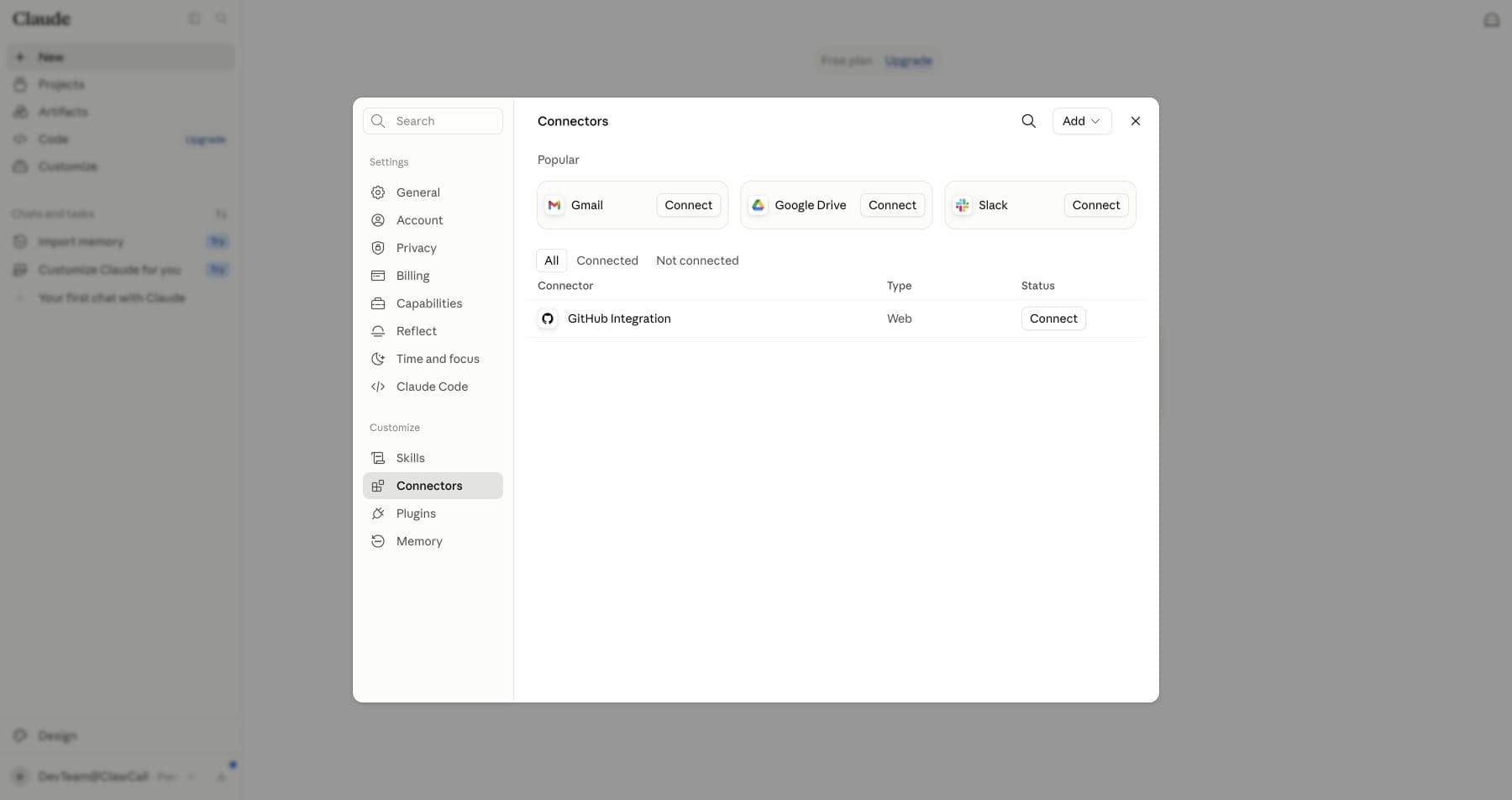
Open Customize → Connectors and choose Add. Add the hosted server
Enter ClawCall and https://api.clawcall.dev/mcp. Leave OAuth Client ID and Client Secret empty because ClawCall supports discovery, DCR, and PKCE.
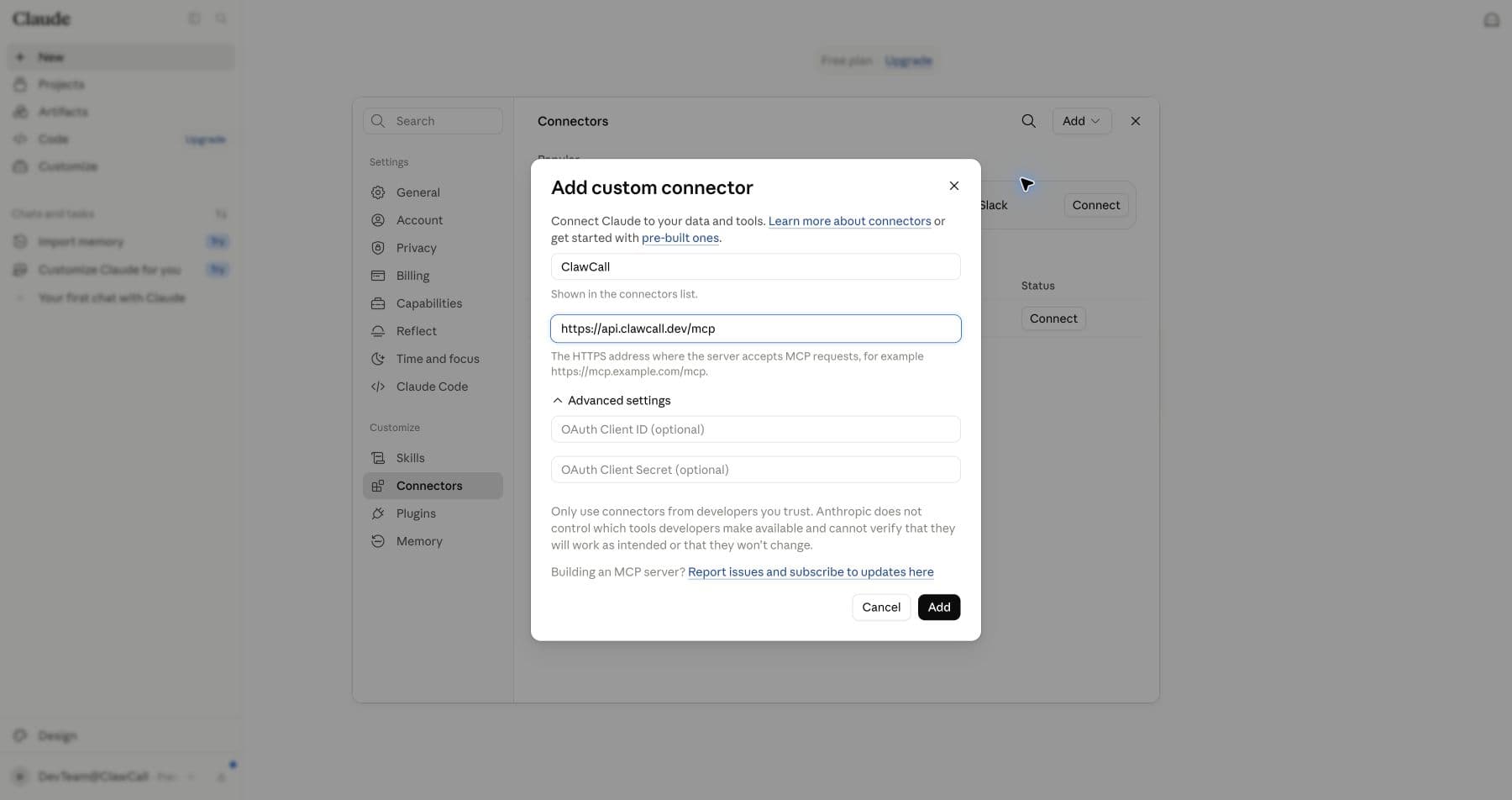
Add ClawCall with the hosted URL and no static credentials. Connect
On the connector detail screen, select Connect to open ClawCall authentication.
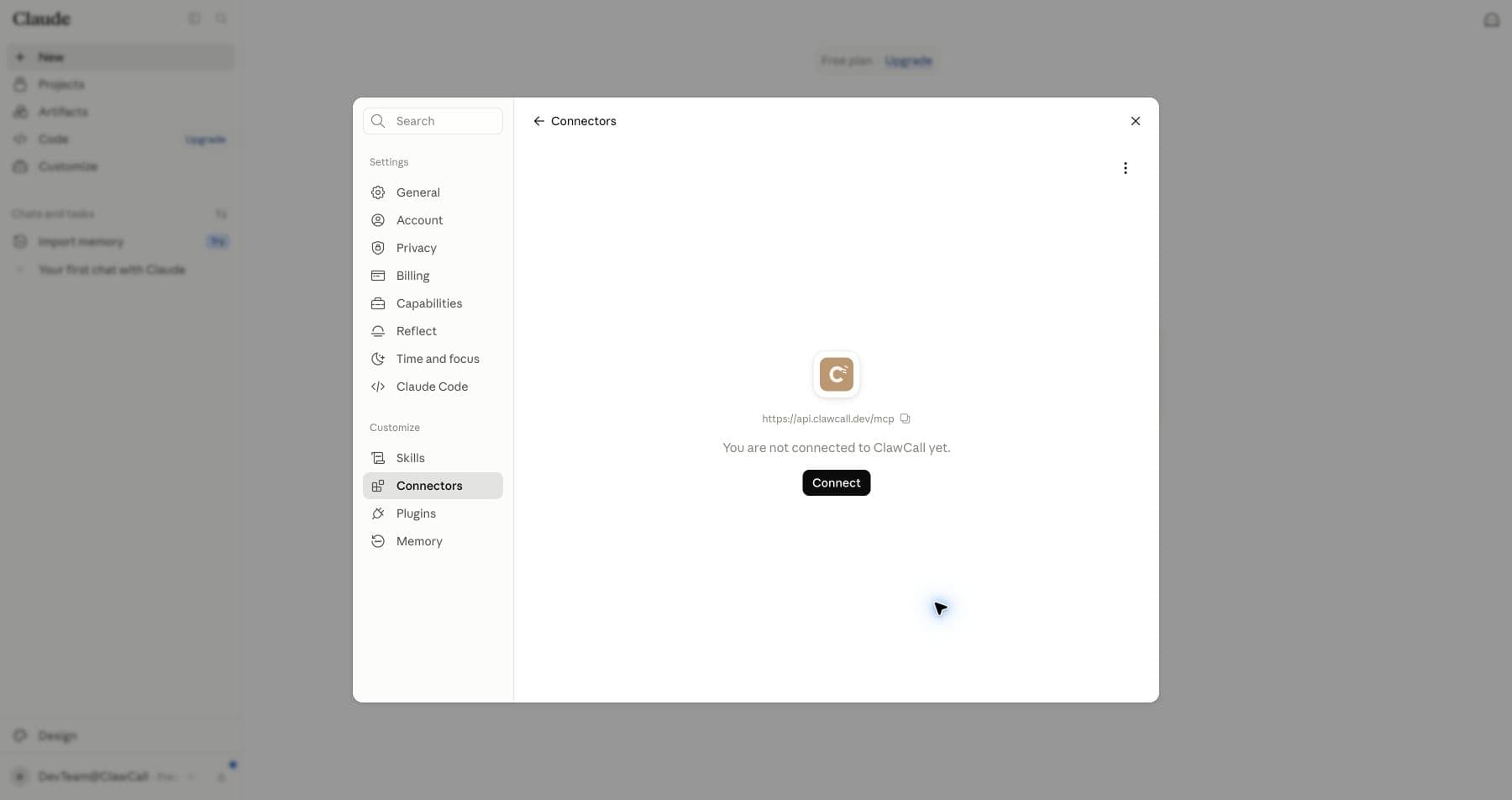
Select Connect after Claude adds the server. Review OAuth access
Confirm the consent page identifies Claude, review calls:read and calls:write, and allow the connection.
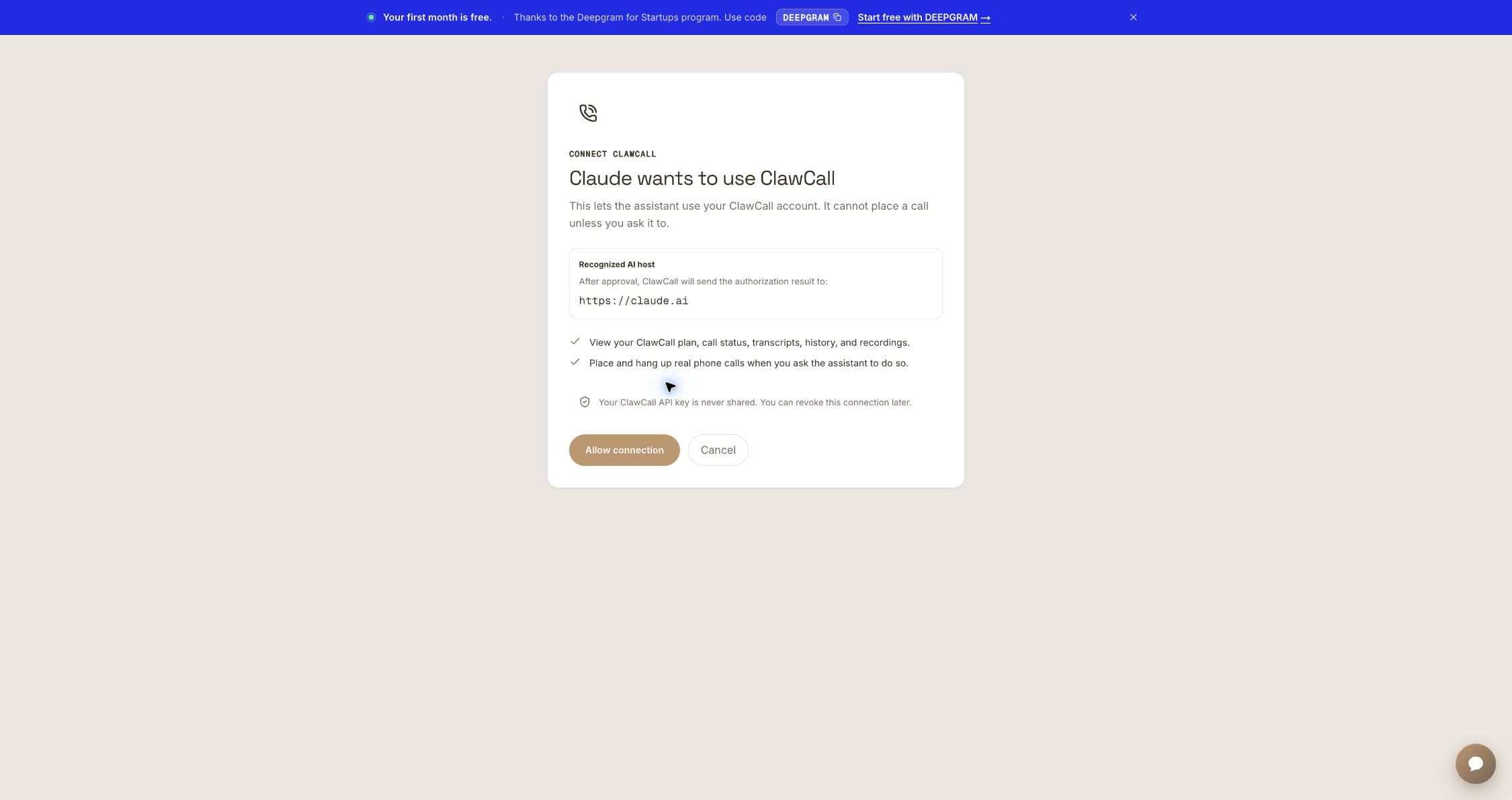
Review the bounded scopes before approval. Review all eleven tools
Confirm six read-only tools and three write/delete tools are present. Refresh if get_calling_guide is missing.
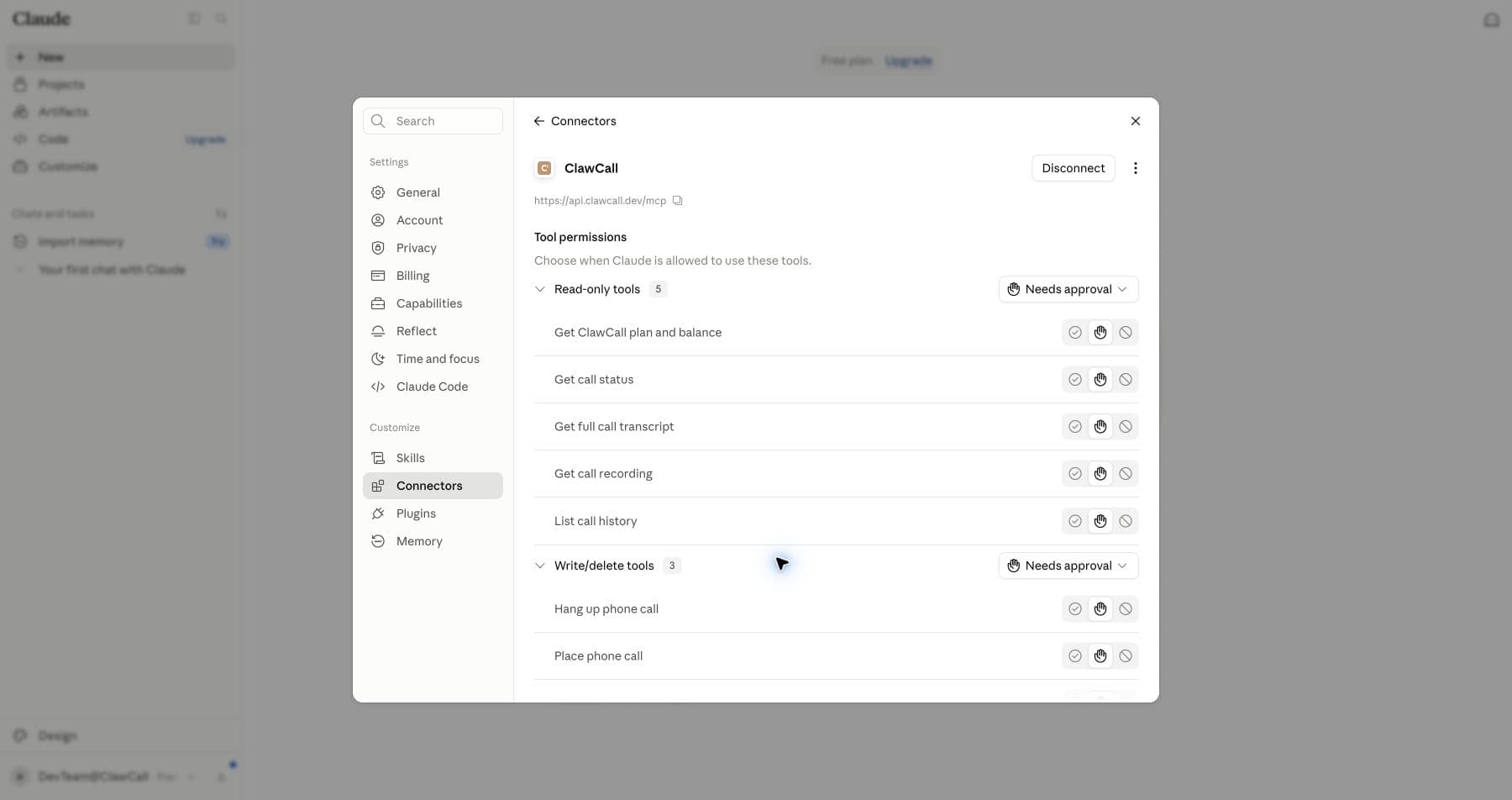
Refresh the connector if the tool inventory is stale. Always allow both groups
Set Read-only tools and Write/delete tools to Always allow. This is ClawCall's recommended configuration for the complete workflow.
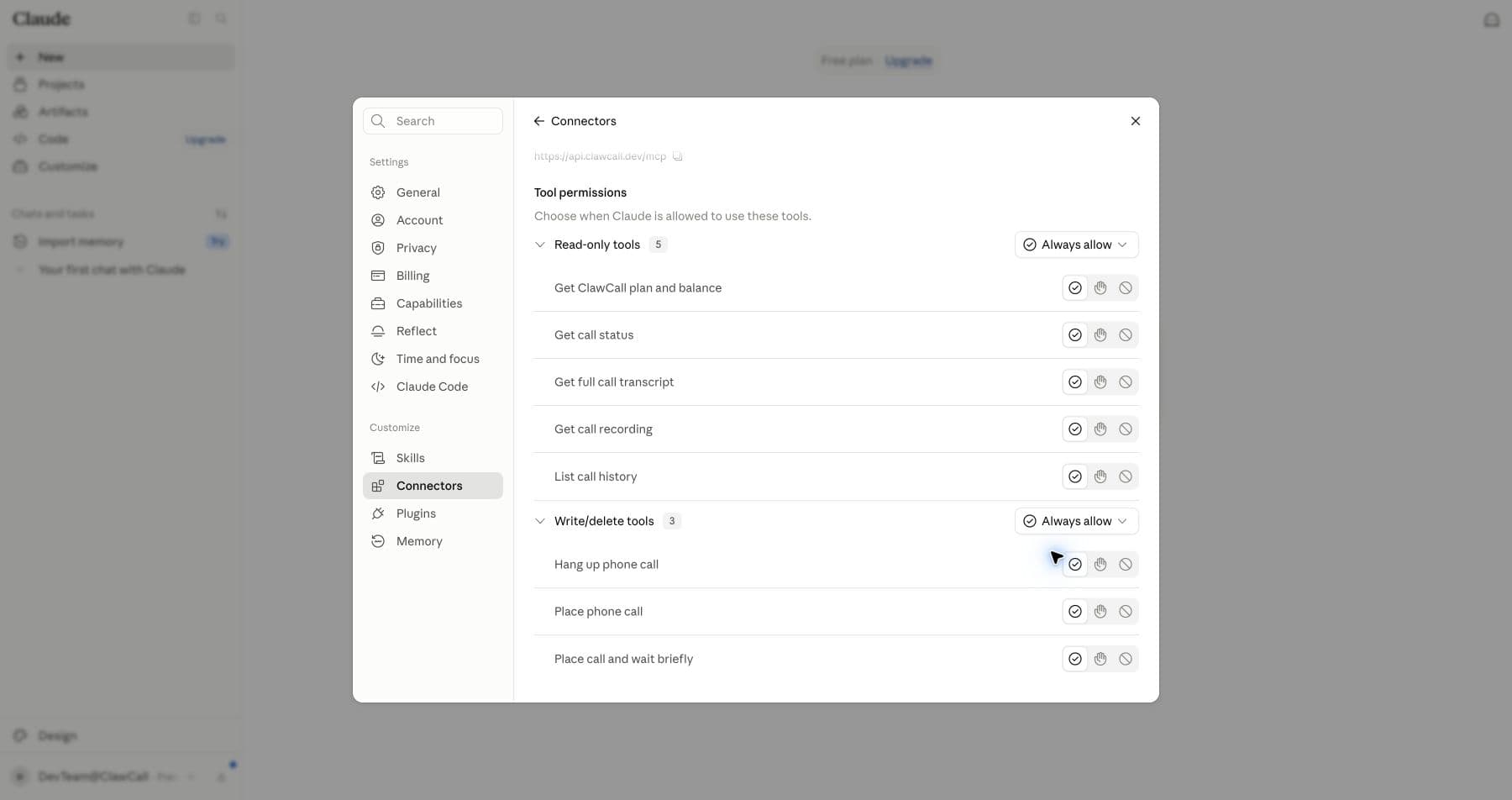
Official recommendation: Always allow both tool groups. Verify automatic selection
Ask for get_balance, then make a controlled call. The connector menu is optional; Claude can choose ClawCall automatically.
Claude Code alternative (official docs reviewed)
In Claude Code, add the same hosted HTTP server from the terminal, then use /mcp to complete OAuth and confirm the connection. This CLI path is documented by Anthropic but was not part of the live Claude web verification artifact.
claude mcp add --transport http clawcall https://api.clawcall.dev/mcp
OAuth scopes and host permissions
A compatible host discovers ClawCall's authorization-server and protected-resource metadata, dynamically registers a public client, and completes OAuth 2.1 authorization code with PKCE S256. It receives revocable tokens—never your ClawCall API key—and the consent flow requests two bounded scopes:
calls:readRead plan/trial state, call settings, reserved-number status, call status, captured transcript evidence when present, history, and temporary recording access when available.
calls:writePlace and hang up real phone calls or update call settings when you ask the assistant to do so.
Recommended Claude permissions: Always allow both groups
Set both Read-only tools and Write/delete tools to Always allow. This is ClawCall's official recommendation and lets Claude complete the full calling workflow without repeated approval prompts.
Allow all or Always allow lets the host complete the requested call workflow—including status polling and nullable transcript retrieval—without stopping for each ClawCall tool. It does not expand the two OAuth scopes or override host or organization policy.
Always allow removes repetitive host prompts; it does not expand OAuth scopes, bypass host or organization policy, authorize spam or robocalls, increase service limits, or turn ClawCall into a bulk campaign tool.
Verify read-only, then place one controlled call
Start with account state. Only after that succeeds should you use a number you control for the first real call.
Check my ClawCall plan and remaining trial allowance. Do not place a call.
Using ClawCall, call my phone at +1XXXXXXXXXX. Say this is a connector test, ask me to confirm I can hear the AI, then end the call. Show me any transcript evidence actually captured afterward.
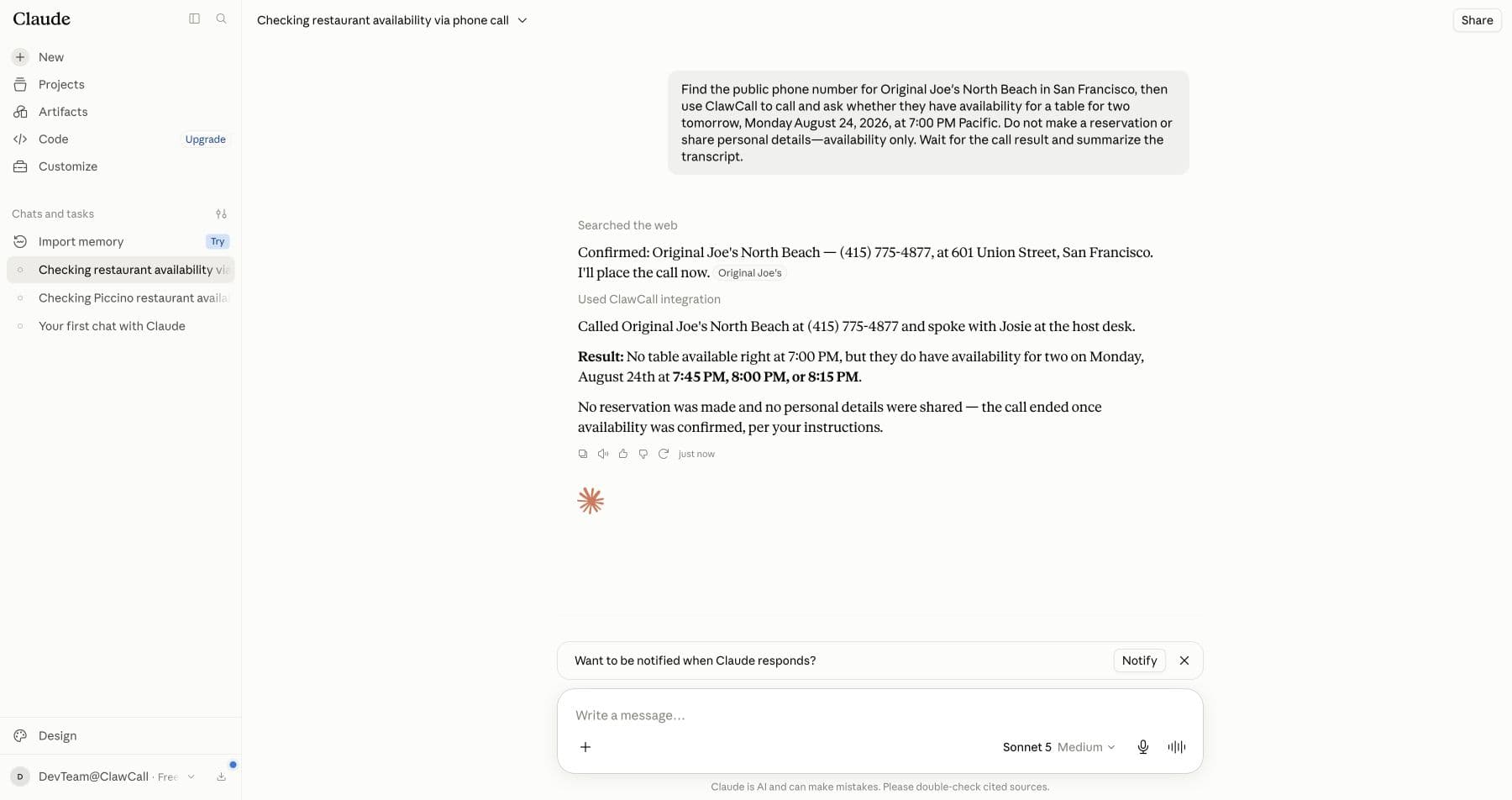
Real Claude example: automatic selection and live availability
The user asked Claude to find Original Joe's North Beach, call, and check availability only. Claude selected ClawCall automatically and reported openings at 7:45, 8:00, and 8:15 PM. No reservation was made and no personal details were shared.
The 11 ClawCall tools
Read the transcript evidence actually captured before declaring success. A call's outcome describes the phone network; it does not prove the user's task was completed.
| Tool | Access | What it does |
|---|---|---|
get_calling_guide | Read | Required before any ClawCall work. Read current workflow guidance and examples before placing calls. |
get_balance | Read | Read the signed-in account's plan and remaining trial allowance. |
get_call_settings | Read | Read reusable voice/personality, reserved-number capabilities, and inbound-assistant availability. |
update_call_settings | Write | Update global or inbound call settings in separate calls. |
place_call | Write | Start one real outbound phone call and return immediately. |
place_call_and_wait | Write | Start one call and wait up to 90 seconds for an initial result. |
get_call | Read | Read a call's lifecycle, outcome, and a nullable bounded transcript tail. |
get_call_transcript | Read | Read the transcript evidence captured for a call. |
list_calls | Read | Read recent call history for the connected account. |
get_recording | Read | Get a temporary, playable recording URL when one is available. |
hangup_call | Write | Stop a queued or live phone call. |
Troubleshooting
The server returns 404 or no tools appear
Confirm the server URL is exactly https://api.clawcall.dev/mcp; the trailing /mcp is required. Refresh or reconnect after correcting it.
You see 401 or Sign in required
Restart the host's Connect, Auth, or MCP login flow and approve ClawCall access again. Do not replace OAuth with a pasted ClawCall API key.
The tool list looks stale
Refresh or restart the MCP connection, then start a new conversation so the host loads current tool metadata. The current server exposes eleven tools.
A phone number is rejected
ClawCall currently calls real US numbers only. Use +1 E.164 format: +1 followed by ten digits.
The wait ended while the call is still running
Ask the host to poll get_call. A host or tool wait cap is not itself a call failure; verify lifecycle, outcome, and the nullable transcript field.
A recording link no longer works
Recording URLs are temporary. get_recording returns the original link and cannot renew it after expiry. ClawCall deletes transcripts 7 days after a call ends and recordings 10 minutes after a call ends.
Disconnect and revoke access
Claude and ClawCall FAQ
- Do I need to choose ClawCall before every request?
- No. Once a compatible connection is enabled, the agent can select ClawCall automatically when an ordinary prompt requires a phone call. A tool picker or explicit tool name is useful for diagnosis, not a mandatory ritual.
- Why does ClawCall recommend Always allow or Allow all?
- It lets the agent place the requested call, poll its status, and retrieve captured transcript evidence when present without repeated host approval prompts. This is ClawCall's recommended setting for the complete workflow; the connection remains limited to its granted OAuth scopes and the host's policy.
- Does a successful network outcome prove the task succeeded?
- No. A network outcome describes the call path. Read the transcript evidence actually captured before claiming a reservation, cancellation, price, or other real-world task was completed.
- How do I revoke access?
- Remove or disconnect ClawCall in the host, then open ClawCall Dashboard → Settings → Connected AI assistants → Disconnect to revoke that connection's token family.
Sources, review method, and next steps
ClawCall reviewed first-party host documentation and its own current product documentation on the dates below. Only ChatGPT and Claude are labeled as live UI verified.
- Anthropic: Get started with custom connectors using remote MCPofficial-host-doc · checked
- Anthropic: Connect Claude Code to tools via MCPofficial-host-doc · checked
- Andreessen Horowitz: Top 100 Gen AI Consumer Apps, 6th editionindependent-market-analysis · checked
- ClawCall: Hosted MCP for AI agentsfirst-party-product-doc · checked
- ClawCall securityfirst-party-security · checked